
Telega
Screenshots
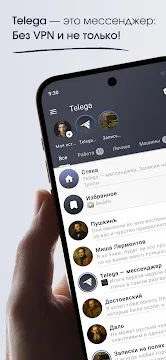
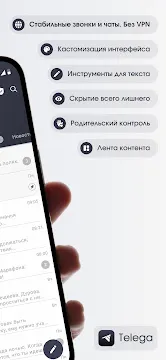
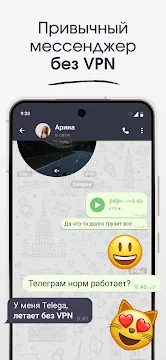
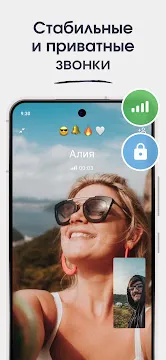
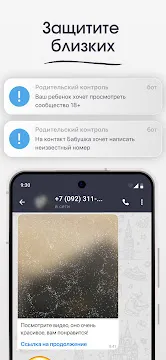
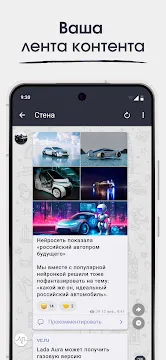
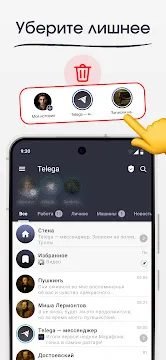
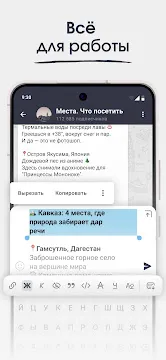
Telega is a specialized communication application designed for users who want an alternative way to access the Telegram network. It functions as a modified client. This means it connects to the same servers as the original app but offers a different user interface and set of tools. Many people choose this version because it includes built-in features that simplify connection issues. For example, it often comes with integrated proxy settings that help maintain a stable link in regions where standard access is restricted.
The core experience remains familiar to anyone who has used popular chat apps. You can send text messages, share large files, and join massive group chats. However, the developers have added unique touches to the menus and settings. These changes aim to provide a more streamlined feel for specific user bases. By using this client, you maintain your existing contacts and chat history while gaining access to extra configuration options.
Why Users Choose Telega for Privacy
Privacy is a major concern for anyone using mobile messaging today. Telega addresses this by offering specialized connection protocols. The app includes an integrated proxy system. This feature hides your real IP address from the destination servers. Consequently, it becomes much harder for third parties to track your physical location or monitor your browsing habits. This added layer of anonymity is a significant draw for privacy-conscious individuals.
Beyond IP masking, the app allows for deep customization of security settings. You can manage your active sessions with precision. The interface makes it easy to see which devices are logged into your account. If you see an unrecognized device, you can terminate that session instantly. This active approach to security ensures that your private conversations remain between you and your intended recipients.
Mastering the Telega Interface and Navigation
Navigating through Telega is intuitive because it follows established design patterns. Once you log in with your phone number, you will see your familiar list of chats. However, the side menu contains several new categories. You can organize your chats into custom folders more easily than in the standard version. This helps you separate work conversations from personal chats or news channels.
The app also focuses on performance. It uses a lightweight architecture to ensure that the screen responds quickly to touches. Scrolling through long chat histories feels smooth. Even on older hardware, the app manages memory efficiently. This focus on speed makes it a reliable choice for users who find the original client too heavy or slow for their daily needs.
Key Navigation Benefits:
- Custom Folders: Sort your messages into specific categories.
- Fast Search: Find media, links, or text within seconds.
- Quick Toggles: Access proxy and privacy settings from the main screen.
- Minimalist Design: Focuses on the text and content rather than flashy icons.
- Gesture Support: Use swipes to archive or delete chats rapidly.
Advanced Connection Options in Telega
One of the biggest technical advantages of Telega is its robust connection manager. In many areas, internet service providers might throttle or block standard messaging traffic. This app combats those issues by using alternative routing. The built-in proxy list updates automatically. This means you do not have to search for manual codes or complicated setup instructions.
If you experience a slow connection, you can switch between different servers within the app settings. This flexibility ensures that you stay online even during peak hours or network outages. Furthermore, the app optimizes data usage. It compresses images and videos before sending them. This saves your mobile data plan and speeds up the delivery of media files in areas with weak signals.
Enhancing Your Experience with Telega Customization
Customization is where Telega truly shines compared to standard messaging tools. You have the power to change almost every visual element. From the color of the chat bubbles to the background of the main menu, the app lets you express your personality. There are dozens of pre-made themes available, or you can create your own from scratch.
The app also allows you to modify how notifications behave. You can set custom sounds for specific contacts or mute entire groups with one tap. If you want to keep your app usage discreet, you can even change the app icon or use a passcode lock. This level of control makes the messaging experience feel truly personal and secure.
Popular Customization Features:
Theme Engine: Change colors, fonts, and icon shapes.
- Notification Filters: Only get alerted for the messages that matter.
- Media Settings: Control which photos download automatically.
- Privacy Masks: Hide your “last seen” status for specific people.
- Sticker Management: Organize your favorite packs for easy access.
Conclusion
Telega offers a unique path for users who want more from their messaging experience. It provides a perfect balance between the reliability of a global network and the freedom of a specialized client. With its focus on privacy through integrated proxies and its vast customization options, it serves as a great tool for personal expression and secure communication.
Choosing an alternative client is about taking control of your mobile interactions. You get to decide how your chats look, how your data is protected, and how you connect to the world. Whether you are trying to bypass network restrictions or simply want a faster interface, this app provides the necessary tools. It remains a top choice for those who value flexibility and speed in their daily digital lives.